How To Fix Noise Canceling Earbuds Letting In Wind Noise?
You step outside, pop in your earbuds, and suddenly all you hear is a loud, rushing whoosh of wind. It’s frustrating, especially when you paid good money for noise-canceling earbuds that were supposed to block out the world.
Here’s the surprising truth: ANC technology can actually make wind noise worse, not better. The microphones that power active noise canceling pick up wind directly, turning a gentle breeze into an annoying roar in your ears.
The good news is that there are several ways to fix this problem or at least reduce it significantly.
This guide covers everything you need to know. You will learn why wind noise happens with ANC earbuds, what common mistakes people make, and the most effective fixes you can try right now.
No complicated tools are needed. Most of these solutions are simple, quick, and free to try today.
In a Nutshell
- Wind noise is a known flaw in ANC earbuds. The microphones that power noise cancellation also pick up wind, making the problem worse in breezy conditions.
- Dirty ANC microphones are a common cause. Gently cleaning the sensors with a soft toothbrush can make a noticeable difference.
- Turning off ANC completely removes the main source of wind noise. You lose noise cancellation, but you also lose the whooshing sound.
- Small foam covers placed over the ANC microphone can block wind from hitting the sensor directly. This is one of the simplest physical fixes available.
- Earbud shape matters. Stem-style earbuds catch more wind than other designs, so switching styles may help if wind noise is a recurring issue.
- No single fix works perfectly. Wind noise is partly built into how ANC technology works. The goal is to reduce it, not eliminate it entirely.
Why Noise Canceling Earbuds Actually Make Wind Noise Worse
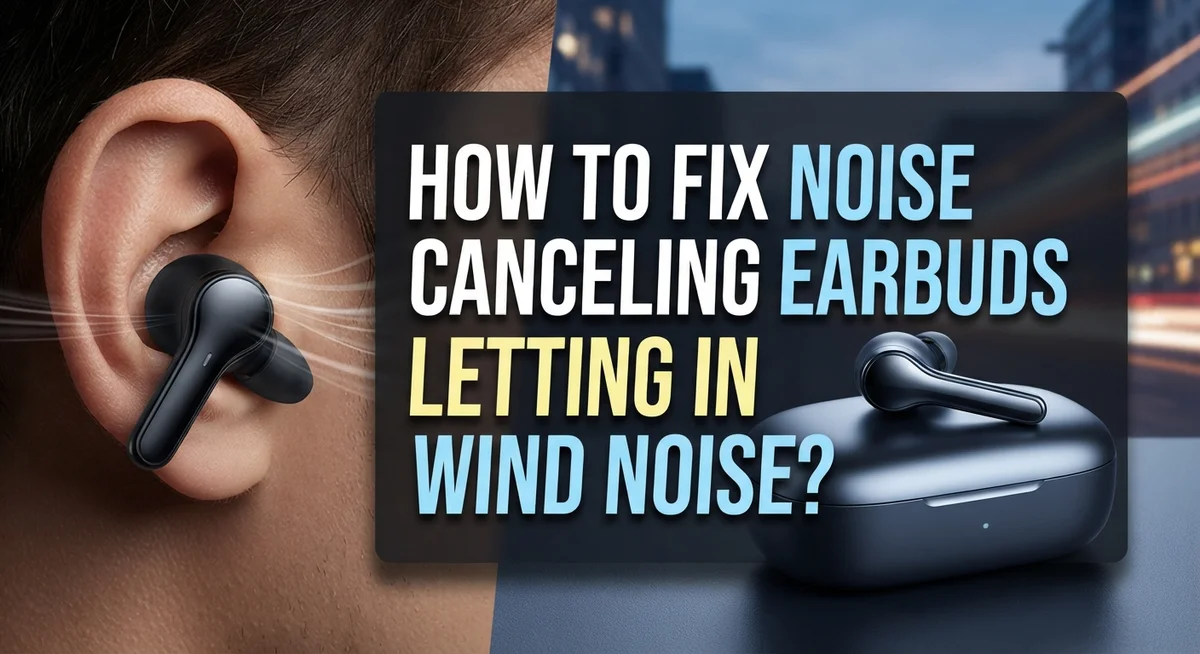
Active noise cancellation works by listening to outside sounds through tiny microphones. These microphones then create opposite sound waves to cancel what you hear. The problem? Wind hitting those microphones creates a whistling or rushing sound that the ANC system amplifies instead of canceling.
Wind essentially tricks your ANC into working against you. When air moves quickly across the microphone sensors, it generates noise that the system interprets as sound to cancel. The ANC then processes this wind noise and sends it directly into your ears, making everything worse.
Stem style earbuds are particularly vulnerable to this issue. The protruding stem acts like a wind sail, catching more air movement than other designs. This extra wind exposure means more noise gets picked up by the ANC microphones.
The core problem is that ANC microphones are extremely sensitive. They need to pick up faint background sounds to work effectively. This same sensitivity makes them pick up wind turbulence very easily. There is no way to make a microphone both sensitive enough for ANC and completely immune to wind noise.
Even high quality ANC systems struggle with this. The technology has a built in limitation. Wind noise happens because of how ANC fundamentally operates, not because your earbuds are broken or cheap.
Interestingly, the harder your ANC works, the worse wind noise often becomes. More aggressive noise cancellation settings mean the system is listening even more carefully to everything around you. This includes unwanted wind sounds.
Understanding this helps you stop blaming yourself or your earbuds. Wind noise is not a defect you caused. It is an inherent challenge with how ANC technology functions. The good news is that several practical solutions exist to reduce or eliminate this problem without replacing your earbuds.
How ANC Microphones Pick Up Wind: The Root Cause Explained
Your ANC microphones work by constantly listening to the environment around you. They pick up sound waves and send this information to the earbud’s processor. The processor then creates an opposite sound wave to cancel out noise. This system is incredibly sensitive by design.
Wind creates a special problem for these microphones. When air moves quickly past the sensor, it doesn’t sound like normal wind to your earbuds. Instead, the microphone detects rapid pressure changes. Your ANC system interprets this as low frequency noise that needs canceling.
Here’s where things go wrong. Your earbuds try to cancel the “wind noise” by producing their own sound. But wind keeps changing direction and speed. Your ANC can’t keep up. The result is a whistling or rushing sound that gets worse the harder your ANC tries to work.
The microphone placement matters too. Stem style earbuds position their sensors in a way that catches more wind exposure. The stem sticks out from your ear, so wind hits it directly. Other earbud shapes may sit deeper in your ear canal, offering more natural protection.
Moisture also plays a role. If your ANC microphone has dirt, earwax, or moisture buildup, it becomes even more sensitive to wind pressure changes. A slightly blocked sensor can actually amplify wind noise instead of reducing it.
The key takeaway is this: your ANC system isn’t broken. It’s working exactly as designed. The problem is that ANC technology has a fundamental weakness with wind. The microphones are so sensitive that they detect wind as a sound that needs canceling. This creates a feedback loop where the harder your ANC works, the more wind noise you hear. Understanding this helps you choose the right fix for your specific situation.
How To Clean Your ANC Microphone Sensors Properly
Your ANC microphone sensors collect dust, debris, and moisture over time. This buildup makes them extra sensitive to wind noise. Cleaning them properly can reduce whistling sounds significantly.
Start with a soft toothbrush. Gently brush around the microphone openings on your earbuds. Use light, circular motions. Do not press hard or you may damage the sensors. Brush for about 10 to 15 seconds per earbud.
Pay special attention to the tiny holes where sound enters. These openings are where wind noise sneaks in. Debris blocking these holes forces your ANC to work harder, which actually makes wind noise worse.
Use a dry cloth next. Wipe each earbud with a clean, lint-free cloth. Make sure no moisture remains. Wet sensors malfunction and produce more wind noise than dry ones.
For stubborn dirt, try a soft dry cotton swab. Gently insert it into the microphone area. Rotate it slowly and pull it out. Never leave the swab inside or push it too deep.
Let your earbuds air dry completely before using them again. This typically takes 15 to 30 minutes. Moisture trapped inside creates electrical interference that sounds like wind noise.
Clean your earbuds weekly if you use them outdoors often. Regular cleaning prevents buildup that amplifies wind sensitivity. Monthly cleaning works fine for indoor use only.
After cleaning, test your earbuds in a quiet room first. Then try them outside to compare the wind noise levels. You should notice some improvement right away.
Remember that cleaning alone won’t eliminate wind noise completely. It removes one cause, but ANC microphones are inherently sensitive to wind. Cleaning simply reduces the problem by removing extra interference that makes it worse.
Step-by-Step Fixes To Reduce Wind Noise on Noise Canceling Earbuds
Start by checking your earbud’s app settings. Many modern earbuds include a wind noise reduction feature that you can toggle on or off. Look for options labeled “wind noise reduction,” “wind filter,” or “automatic wind noise reduction.” Enabling this setting often provides immediate relief without requiring any physical changes to your earbuds.
Next, try adjusting your ANC level. Most earbuds let you cycle through different ANC strengths. Paradoxically, maximum ANC sometimes makes wind noise worse. Try lowering your ANC to medium or a custom setting instead. This reduces how aggressively your microphones work, which can minimize wind whistling.
If you’re using ambient sound mode, turn it off temporarily. Ambient mode amplifies external sounds through your microphones, which means it also amplifies wind noise. Disabling this feature eliminates the problem but removes your ability to hear your surroundings.
Clean your microphone sensors thoroughly. Wind noise often worsens when dust blocks the ANC microphones. Use a soft toothbrush to gently brush around the microphone openings on both earbuds. Follow this with a dry, lint-free cloth. Let them air dry completely before testing them again.
Consider adding a small foam pad over your ANC microphone. This acts as a wind shield and can reduce whistling significantly. The pad should be thin enough not to block sound pickup completely. Test different pad thicknesses to find your balance between wind noise reduction and ANC effectiveness.
Try repositioning your earbuds in your ears. Sometimes shifting them slightly changes how wind hits the microphones. A better seal can also help. Make sure your earbud tips fit snugly and create a good seal in your ear canal.
Finally, test these fixes in different wind conditions. What works in light wind might need adjustment in strong gusts. Keep notes on which settings work best for various conditions. This helps you quickly find your optimal setup when wind noise appears.
How Earbud Shape and Fit Affect Wind Noise Levels
Your earbud’s physical design plays a huge role in how much wind noise reaches the microphones. Different shapes trap wind differently, and some designs are simply more vulnerable than others.
Stem style earbuds are particularly problematic. The long, exposed stem acts like a wind funnel. It channels air directly toward the microphone openings, making wind noise worse than it needs to be. If you own this style, expect more whistling in breezy conditions.
In ear canal designs perform better overall. They sit deeper in your ear, which naturally shields the microphones from direct wind exposure. The ear canal itself acts as a barrier. This positioning advantage means less wind reaches the sensitive sensors.
Fit quality directly impacts wind noise levels. A loose fit lets more air flow around the earbud. Gaps between the earbud and your ear canal create pathways for wind to reach the microphones. A snug, secure fit minimizes these air gaps significantly.
The seal matters tremendously. When your earbuds fit properly, they create an acoustic seal. This seal blocks wind from entering the microphone areas. Poor fit means constant air movement around the microphone openings.
Earbud size affects fit quality too. Larger earbuds don’t fit everyone’s ears well. A loose fit on large earbuds lets wind in easily. Smaller earbuds might provide a tighter seal for some people. Finding the right size for your ear shape is essential.
Custom molded earphones offer the best solution here. They’re shaped specifically for your ears. This custom fit creates an excellent seal that blocks wind effectively. However, they’re more expensive than standard options.
The takeaway is simple: shape and fit directly control how much wind reaches your microphones. A snug fit with an in ear canal design gives you the best chance of reducing wind noise naturally. Stem styles and loose fits work against you in windy conditions.
Physical Workarounds To Shield Your Earbuds From Wind
Wind shields are simple physical barriers that block moving air before it hits your earbuds. You don’t need expensive gear to create one. A basic buff, headband, or even a scarf wrapped around your ears reduces wind exposure significantly.
The key is positioning. Wrap your wind shield so it covers the area where your earbuds sit. This creates a small pocket of calmer air around your ears. The shield doesn’t need to be tight. Loose fabric actually works better because it allows some airflow while still breaking up strong gusts.
Foam covers designed for microphones work well too. You can apply a small foam pad directly over your ANC microphone opening. The foam absorbs wind energy before it reaches the sensor. This method takes seconds to implement and costs almost nothing. Make sure the foam doesn’t completely block the microphone hole, or your ANC system won’t function properly.
Positioning your body helps as well. When walking or standing in wind, angle yourself so the wind hits your back instead of your face. This simple adjustment reduces direct wind contact with your earbuds. If you’re sitting, position yourself behind a barrier like a wall, tree, or building.
Rotating your earbuds slightly in your ears can also help. Sometimes the microphone opening faces directly into the wind. A small rotation changes the angle and reduces how much air hits the sensor directly.
These physical workarounds work because they address the root problem: wind hitting your microphone sensors. They don’t require app changes or technical adjustments. You can combine multiple methods for better results. Use a buff plus foam padding plus body positioning for maximum protection. Test each method individually first to see what works best for your situation.
Common Mistakes That Make Wind Noise in ANC Earbuds Worse
Many people think that turning on noise cancellation will eliminate wind noise completely. This is the biggest mistake you can make. ANC actually makes wind noise worse because the microphones pick up air movement and amplify it.
When you enable noise cancellation, the system actively listens for sounds to cancel. Wind hitting the microphone sensors registers as noise that needs canceling. The system then produces a counter sound, which creates that whistling or whooshing effect you hear.
Another common error is assuming all ANC settings work equally well in windy conditions. They don’t. Some settings amplify wind noise more than others. You need to test different ANC levels to find which one causes the least whistling.
People also forget that stem style earbuds catch more wind than other designs. The protruding stem acts like a sail, funneling air directly toward the microphone. If you use this style in windy weather, expect more wind noise than you would with other designs.
Not cleaning your microphone sensors regularly is another frequent mistake. Dirt and debris buildup makes the sensors more sensitive to wind. A simple cleaning with a soft brush can reduce wind noise noticeably.
Many users also make the error of combining too many noise reduction features at once. Running both ANC and ambient sound mode together can create conflicting signals that worsen wind noise. Turning off ambient mode often helps significantly.
Finally, people don’t reposition their earbuds when wind noise appears. Rotating them slightly in your ear canal changes how wind hits the microphone. This small adjustment sometimes reduces whistling dramatically.
The key lesson is this: wind noise is a trade off with ANC technology. You cannot have perfect noise cancellation and zero wind noise at the same time. Understanding these common mistakes helps you make better choices about which features to use in windy situations.
Final Thoughts
Wind noise in ANC earbuds is a real challenge, but it is absolutely manageable with the right approach.
The most important thing to remember is that no single fix works perfectly for everyone. Wind noise is partly a technology limitation and partly a physical design issue. You will likely need to combine several strategies to get the best results.
Start with the basics. Clean your ANC microphone sensors regularly and make sure your earbuds fit properly in your ears. These two steps alone can make a noticeable difference in how much wind noise you experience.
Physical solutions work surprisingly well. A small foam pad over your microphone sensor, repositioning your earbuds slightly, or shielding yourself from direct wind are all practical steps you can take immediately. They cost very little and require no technical knowledge.
Your earbud settings matter too. If your app supports automatic wind noise reduction, use it. Cycling through different ANC levels can also help you find the sweet spot between noise cancellation and wind protection.
Avoid the common traps. Do not assume that stronger ANC always means less wind noise. Sometimes turning ANC off completely is the most effective solution in very windy conditions.
If you use stem-style earbuds, understand that their design naturally catches more wind. Adjusting how you wear them or physically shielding them becomes even more important.
No perfect solution exists for wind noise in ANC earbuds. Every fix involves some trade-off between features and performance. The goal is to find the combination that works best for your specific situation and environment.
Be patient and experiment. Test different settings, positions, and physical barriers in real wind conditions. Over time, you will develop a reliable routine that keeps wind noise at an acceptable level for your daily use.
Frequently Asked Questions
Why do noise canceling earbuds make whistling sounds in the wind?
Noise canceling technology listens for sounds to eliminate them. Wind hitting your microphone sensors creates a whistling effect because the system tries to cancel moving air. This happens because ANC microphones are extremely sensitive. The irony is that turning on noise cancellation can actually make wind noise worse, not better. Wind noise is partly a design issue and partly a technology limitation. Stem style earbuds catch more wind than other designs because their shape creates more surface area for air to hit.
Can I completely eliminate wind noise from my earbuds?
No perfect solution exists. Wind noise is inherent to how noise canceling works. You can reduce it significantly, but not eliminate it entirely. The best approach combines multiple strategies. Start with physical fixes first, like adding a small foam pad over your ANC microphone. Then adjust your settings. If your app has automatic wind noise reduction, enable it. As a last resort, you can turn off both ANC and Ambient Sound Mode, but this removes useful features.
Should I clean my earbuds to reduce wind noise?
Yes, absolutely. Dirty microphone sensors pick up more wind noise than clean ones. Use a soft toothbrush to gently clean your ANC microphones. This simple step helps your sensors work properly. Regular cleaning prevents buildup that makes wind noise worse. Do this monthly or whenever you notice increased whistling.
Does earbud design affect wind noise levels?
Completely. Stem style earbuds perform worse in wind because their shape catches more air. Custom molded earphones create a better seal and reduce wind reaching your microphones. In-ear designs without stems generally perform better. Your earbud shape matters as much as your noise canceling technology.

Hi, I’m Amy! I’m passionate about tech and love breaking down complex product specs into simple, actionable advice. I review gadgets, compare tools, and write buying guides to help you spend smarter. Got a question? Drop me a message — I’d love to hear from you!