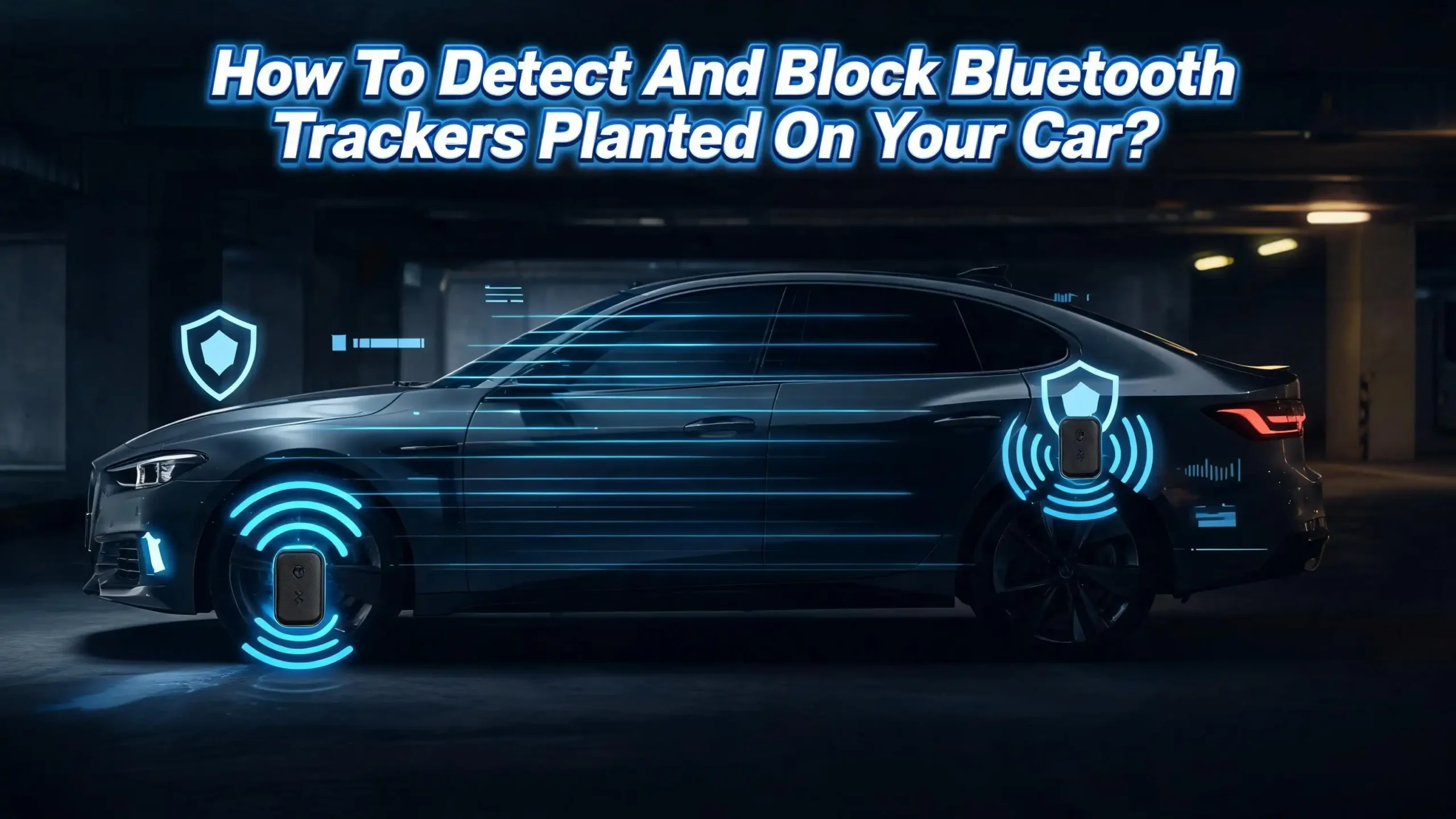
How To Detect And Block Bluetooth Trackers Planted On Your Car?
Imagine walking to your car after a long day and noticing something feels off. Maybe your phone buzzed with a strange alert. Maybe you heard a faint chirping sound coming from under your bumper.
Bluetooth trackers like Apple AirTags, Tile devices, and Samsung SmartTags are small, cheap, and easy to hide. They were built to help people find lost keys and luggage. But they can also be misused to secretly track your location.
This post will walk you through every practical step you can take to find, disable, and block a hidden Bluetooth tracker on your vehicle. Every method here is something you can do yourself, starting today.
Key Takeaways
- Bluetooth trackers are small devices (often the size of a coin) that use nearby smartphones to relay their location to the person who planted them. They do not use GPS directly but piggyback on networks like Apple’s Find My or Google’s Find My Device to pinpoint a location with surprising accuracy.
- Both iPhones and Android phones now have built in features that can alert you when an unknown tracker is traveling with you. These alerts may take several hours to appear, so do not rely on them alone for immediate detection.
- A physical inspection of your car remains the most reliable first step. Focus on wheel wells, rear bumpers, the undercarriage, the OBD port under the dashboard, and behind the license plate. Trackers often use magnets, so run your hand along metal surfaces.
- Third party apps like AirGuard can detect a wider range of Bluetooth trackers than your phone’s built in alerts. Use them for manual scans, especially in a quiet area away from other people’s devices.
- You can disable a found tracker by removing its battery. For AirTags, twist the silver back and pop the battery out. For Tile trackers with sealed batteries, submerging the device in water will degrade the Bluetooth signal.
- Planting a tracker on someone’s vehicle without consent is illegal in many states and may fall under stalking or harassment laws. Document everything and contact law enforcement if you believe you are being tracked.
What Are Bluetooth Trackers And How Do They Work
Bluetooth trackers are small, battery powered devices that communicate with nearby smartphones using Bluetooth Low Energy (BLE) signals. They do not contain GPS chips. Instead, they rely on a network of phones to report their position back to the tracker’s owner.
Here is how it works in practice. An AirTag, for example, sends out a Bluetooth signal every few seconds. Any nearby iPhone picks up that signal and quietly relays the AirTag’s approximate location to Apple’s servers. The owner then opens the Find My app and sees where the AirTag is on a map. This works because there are hundreds of millions of iPhones in the world, creating a massive detection network.
Tile trackers work on a similar principle but use their own network, combined with Amazon’s Sidewalk network, to relay location data. Samsung SmartTags use Samsung’s Galaxy Find network. The accuracy of any tracker depends on how many compatible phones are nearby. In a busy city, a tracker can pinpoint a location within a few feet. In a rural area, the accuracy drops significantly.
These devices are designed to be small and discreet. An AirTag is roughly the size of a US quarter. A Tile Slim is as thin as a credit card. Both can be attached to a car using adhesive, magnets, or simply tucked into a crevice. Their batteries last anywhere from six months to over a year, which means a planted tracker can operate for a very long time before it dies.
Why Someone Might Plant A Tracker On Your Car
Understanding the motivation behind tracker placement helps you assess your own risk. The most common reason is stalking or surveillance by a current or former intimate partner. Domestic violence organizations report a sharp increase in technology facilitated abuse involving Bluetooth trackers.
Car theft is another growing concern. Criminals have been documented using AirTags to track high value vehicles from dealerships or parking lots back to the owner’s home. They then steal the car at a more convenient time and location. Law enforcement agencies in multiple cities have issued public warnings about this tactic.
Private investigators sometimes use trackers as part of surveillance operations, though the legality of this varies by jurisdiction. In some cases, suspicious business partners or employers have planted trackers on company vehicles. Regardless of the reason, any tracker placed on your car without your consent is a serious invasion of privacy.
According to the CDC, 16% of women and 3.7% of men have experienced stalking in their lifetime. Certain groups face higher risks, including women aged 18 to 24, survivors of intimate partner violence, LGBTQ+ individuals, journalists, and activists. If you belong to any of these groups, take extra precautions and consider creating a personal safety plan.
Signs That A Bluetooth Tracker May Be On Your Vehicle
Before you start searching, it helps to know what clues to look for. Your smartphone may give you the first warning. If you receive an “Unknown Tracker Detected” notification on your iPhone or Android device, take it seriously. This alert means a Bluetooth tracker that is not registered to you has been moving with you.
AirTags are designed to emit a chirping sound after they have been separated from their owner for 8 to 24 hours. If you hear a faint, high pitched beeping near your car, investigate immediately. However, be aware that it is possible for someone to physically disable the AirTag’s speaker, so the absence of sound does not guarantee safety.
Other signs are more subtle. If someone seems to know your location or daily routine without explanation, a tracker could be the cause. Pay attention if an ex partner, a suspicious stranger, or anyone else shows up at places they should not know about. Unusual battery drain on your phone can sometimes indicate that it is frequently communicating with a nearby Bluetooth device, though this alone is not a definitive sign.
Watch for physical evidence too. Small scratches near your wheel wells, bumper, or license plate area could indicate that someone recently attached or removed a magnetic device. Any small, unfamiliar object attached to your car with a magnet or adhesive warrants closer inspection.
How To Perform A Physical Search Of Your Car
A thorough manual inspection is the most reliable way to find a hidden tracker. Set aside 20 to 30 minutes and use a flashlight, a mirror on a stick (or your phone’s camera), and gloves if you prefer.
Start with the exterior. Crouch down and inspect each wheel well carefully. Feel along the inside of the plastic liner where a small magnetic device could be stuck to the metal frame. Check behind both the front and rear bumpers, paying special attention to gaps and recesses in the plastic panels. Run your hand along the metal surfaces because many trackers use strong magnets to stay in place.
Move to the undercarriage. Use your flashlight and mirror to scan the frame rails, exhaust components, and any flat metal surfaces under the car. Trackers are often placed in spots that are hard to see but easy to reach from a standing position. Check the area around the spare tire compartment if your vehicle has one underneath.
Do not forget the interior. Look inside the OBD port under the dashboard on the driver’s side. Compact trackers can plug directly into this port for both power and data. Check the glove box, center console, under the seats, and inside any storage compartments. Inspect the trunk thoroughly, including under the carpet and behind panels.
Finally, examine the license plate area. Trackers can be slipped behind the plate or tucked into the frame. Also check the gap between the hood and windshield where small objects can be hidden easily. If your car has a roof rack or cargo carrier, inspect those too.
Using Your iPhone To Detect Unknown Trackers
Apple built automatic tracker detection into iOS starting with version 14.5. Any iPhone running iOS 14.5 or later will alert you when an unknown AirTag is traveling with you. This feature works automatically in the background, but you should verify it is enabled.
Open Settings, then go to Privacy & Security, and tap Location Services. Make sure Location Services is turned on. Then go to Settings, tap Bluetooth, and confirm Bluetooth is on. Open the Find My app, tap the Me tab, and make sure Tracking Notifications is turned on.
When your iPhone detects an unknown AirTag, you will see a notification that says something like “AirTag Found Moving With You.” Tap the notification to see a map showing where the tracker was first detected. You can then tap Play Sound to make the AirTag chirp, helping you locate it physically.
Once you find the AirTag, hold it against the back of your iPhone. Your phone will use NFC to read the tracker and display its serial number along with the last four digits of the owner’s registered phone number. Take a screenshot of this information. It can be critical evidence if you need to involve law enforcement.
Keep in mind that Apple’s automatic alerts may take up to 24 hours to appear. This delay means you should not rely solely on waiting for a notification. If you suspect a tracker is on your car right now, use the manual scanning methods described in the next sections.
Using Your Android Phone To Detect Unknown Trackers
Android phones running Android 14 or newer have built in support for detecting unknown AirTags. This feature works without downloading any extra apps. To check that it is enabled, open Settings, go to Safety & Emergency, and tap Unknown Tracker Alerts. Make sure “Allow Alerts” is toggled on.
If your Android phone detects an AirTag that has been separated from its owner and is traveling with you, you will receive a notification. Tap it to see a map and timeline showing when the tracker was first noticed. You can tap Play Sound to trigger the AirTag’s beeping, though this feature does not always work reliably.
For a manual scan, go to Settings, then Safety & Emergency, then Unknown Tracker Alerts, and tap the Scan Now button. Your phone will search for nearby AirTags and display any it finds. This is especially useful when you want an immediate answer rather than waiting for the automatic system to alert you.
Once you locate the AirTag, hold it against the back of your phone (make sure NFC is enabled). A browser window will open showing the serial number and the last four digits of the owner’s phone number. Screenshot this information before doing anything else.
Important note: Android’s built in detection currently works best with AirTags. It may not reliably detect Tile trackers, Samsung SmartTags, or other brands. For broader detection, you will need a third party app, which is covered in the next section.
Third Party Apps That Detect Multiple Tracker Brands
Your phone’s built in detection has a significant limitation. It primarily detects AirTags. If someone plants a Tile tracker or Samsung SmartTag on your car, your phone might not alert you. Third party apps fill this gap.
AirGuard is a free, open source app available for both Android and iPhone. It was developed by researchers at the Technical University of Darmstadt in Germany. AirGuard scans for AirTags, Tile trackers, Samsung SmartTags, Chipolo devices, and other Bluetooth trackers. It runs in the background and sends you a notification when it detects an unknown tracker following you.
To use AirGuard, download it from the Google Play Store or Apple App Store. Grant the required permissions for location, nearby devices, and notifications. The app will begin scanning automatically. For a manual scan, open the app and tap the Scan button. Perform manual scans in a quiet area away from other people, because the app will pick up legitimate trackers belonging to nearby strangers.
When AirGuard finds a suspicious tracker, it shows you a signal strength meter. Walk around your car with your phone. If the signal gets stronger, you are getting closer to the tracker. If it gets weaker, change direction. Once the signal strength reads around 90% or higher, you should be very close to the device.
Apple’s Tracker Detect app is another option for Android users. It specifically searches for AirTags but requires you to start scans manually. The Tile app also includes a Scan and Secure feature that takes about 10 minutes to run and can identify nearby Tile devices.
Using An RF Detector For A Deeper Sweep
For people who want extra assurance, a Radio Frequency (RF) detector can find Bluetooth trackers and other wireless transmitting devices. These handheld gadgets scan for electromagnetic signals in the frequency ranges used by Bluetooth, Wi-Fi, and cellular devices.
To use an RF detector, turn off all known Bluetooth and Wi-Fi devices near your car first. This includes your phone, any dashcam, and your car’s infotainment system. The fewer active signals around you, the easier it is to isolate an unknown device.
Turn on the RF detector and slowly sweep it around your vehicle. Start with the exterior, focusing on the same areas you checked during your physical inspection: wheel wells, bumpers, undercarriage, and license plate area. Move the detector slowly and watch for signal spikes. When the detector registers a strong signal, narrow down the location by moving more carefully.
RF detectors range widely in sensitivity and price. Basic models can identify general Bluetooth signals. More advanced models can distinguish between different types of wireless transmissions and even estimate how close you are to the source. For most people, a mid range detector provides sufficient sensitivity to locate a hidden Bluetooth tracker.
Keep in mind that RF detectors are not perfect. They detect any wireless signal, not just trackers. A nearby Wi-Fi router, a neighbor’s phone, or your car’s own systems can trigger false readings. This is why combining an RF sweep with a physical search and app based scanning gives you the best results.
How To Disable A Bluetooth Tracker You Found
Once you locate a hidden tracker, you need to decide whether to disable it. If you are in any danger from the person who planted it, think carefully before acting. Disabling the tracker will alert the owner that it has stopped transmitting. An abusive partner may escalate their behavior in response.
If you determine it is safe to proceed, removing the battery is the most effective way to disable any tracker. For an AirTag, press down on the polished stainless steel back, rotate it counterclockwise, and lift it off. Remove the CR2032 battery inside. The AirTag is now completely dead.
For a Tile Pro, use a coin or small tool to open the battery compartment and remove the battery. Other Tile models have sealed batteries that cannot be removed. If you encounter a sealed tracker, place it in a bag or jar of water. Water significantly degrades Bluetooth signals and will effectively prevent the tracker from communicating with nearby phones.
Samsung SmartTags use a similar coin cell battery. Press and slide the back cover off, then remove the battery. Chipolo trackers may require a small tool like a paperclip to access the battery compartment.
After disabling the tracker, do not throw it away immediately. The device contains evidence. Keep it in a Faraday bag (a small pouch that blocks all wireless signals) or in a container of water. Take photos of where you found it on your car. Note the date, time, and location. This documentation can be essential if you file a police report.
How To Block Tracker Signals Without Finding The Device
Sometimes you suspect a tracker is on your car but cannot locate it physically. In this situation, signal blocking is your best option until you can get a professional inspection.
A Faraday bag or pouch is a small container lined with metallic fabric that blocks all wireless signals, including Bluetooth, Wi-Fi, cellular, and GPS. If you find a tracker but cannot remove its battery, placing it in a Faraday bag will stop it from transmitting. Tests have confirmed that a quality Faraday bag completely blocks AirTag signals.
If you cannot find the tracker at all, consider a few temporary measures. Parking in a location with minimal smartphone traffic reduces the tracker’s ability to relay its position. Bluetooth trackers depend on nearby phones to transmit data. In a remote area with few people, the tracker becomes much less effective.
You can also visit a mechanic or auto body shop and ask them to inspect your vehicle on a lift. A raised vehicle allows for a much more thorough inspection of the undercarriage, wheel wells, and frame. Some security companies specialize in Technical Surveillance Countermeasures (TSCM) sweeps and can scan your vehicle with professional grade equipment.
Do not use a GPS or Bluetooth jammer. These devices are illegal in the United States under federal law. The FCC prohibits the sale, use, and marketing of signal jammers. Using one can result in significant fines and criminal penalties, even if your intent is purely defensive.
What To Do After You Find A Tracker On Your Car
Finding an unwanted tracker on your vehicle is alarming. Stay calm and follow a clear plan. Your first priority is personal safety, followed by evidence collection, and then reporting.
Before you remove or disable the tracker, take photos of the device in place on your car. Capture close up images and wider shots that show the tracker’s location on the vehicle. Write down the exact spot where you found it. If the tracker is an AirTag, tap it against your phone to capture the serial number and owner information. Screenshot everything.
Next, consider your personal safety situation. If you believe the tracker was placed by a current or former partner, contact a domestic violence hotline before removing it. In the United States, the National Domestic Violence Hotline can be reached at 1 800 799 7233 or by texting “Start” to 88788. An advocate can help you create a safety plan that accounts for the possibility of escalation.
If you believe the tracker was placed by a stranger or a criminal, file a police report. Bring the tracker, your photos, and any serial number information. Law enforcement can request ownership data from Apple, Tile, or Samsung through legal channels. Many police departments now have officers trained specifically in technology facilitated crimes.
Document a timeline of any suspicious events that led you to check for trackers. Did someone appear at unexpected locations? Did you receive strange notifications? This context helps law enforcement build a case. Keep copies of everything for your own records as well.
Legal Protections Against Unauthorized Tracking
Planting a Bluetooth tracker on someone’s vehicle without their consent is illegal in many jurisdictions. Laws vary by state and country, but several legal frameworks may apply.
In the United States, at least 11 states have specific prohibitions on location tracking as part of their stalking and harassment laws. In New York, using an unauthorized GPS or Bluetooth tracking device can result in a charge of Stalking in the Fourth Degree, which is a Class B misdemeanor. Pennsylvania’s legislature passed a bill creating a specific criminal offense for tracking device based stalking.
At the federal level, the Violence Against Women Act (VAWA) and various federal stalking statutes can apply to cases involving Bluetooth tracker abuse. The Congressional Research Service has published a report confirming that existing federal stalking laws cover the misuse of Bluetooth tracking technologies.
Internationally, Japan recently revised its anti stalking law to specifically ban the use of Bluetooth tracking devices to monitor someone without consent. Other countries are considering similar updates to their laws.
If you find a tracker on your car, you have the right to remove it. You also have the right to report the incident to law enforcement. Keep the tracker as evidence rather than destroying it. If you can identify the person who placed it, you may also have grounds for a civil lawsuit seeking damages for invasion of privacy or intentional infliction of emotional distress.
How To Protect Your Car From Future Tracker Placement
Prevention is just as important as detection. Building regular habits around vehicle security can significantly reduce the risk of someone successfully planting a tracker.
Make it a routine to inspect your car at least once a week. Focus on the high risk areas: wheel wells, bumpers, undercarriage, license plate, and under the hood. A quick five minute check can catch a tracker before it transmits your location for days or weeks. The more often you check, the faster you will notice something new.
Park in well lit, high traffic areas whenever possible. Surveillance cameras in parking garages and lots can deter someone from approaching your vehicle. If you have a home garage, use it. A locked garage adds a significant physical barrier between your car and a potential tracker planter.
Consider installing a dashcam with parking mode. Many modern dashcams activate when they detect motion near the vehicle, even when the car is off. This provides both a deterrent and evidence if someone tampers with your car. Position the camera to cover as much of the exterior as possible.
Keep your smartphone’s tracker detection features enabled at all times. On iPhone, ensure Tracking Notifications are turned on in the Find My app. On Android, verify that Unknown Tracker Alerts are active in your Safety & Emergency settings. Install AirGuard for broader detection coverage.
Finally, talk to people you trust about your concerns. Let a friend, family member, or neighbor know that you are worried about being tracked. They can help you watch for suspicious activity and provide support if you need to involve law enforcement.
When To Seek Professional Help
Some situations require more than a DIY approach. If you have conducted multiple searches and your phone keeps alerting you to a tracker you cannot find, contact a professional.
Automotive security specialists and TSCM professionals have access to equipment that far exceeds what consumer apps and RF detectors can do. They use spectrum analyzers, professional grade RF sweepers, and non linear junction detectors that can locate electronic devices even when they are powered off. A professional sweep of your vehicle typically takes one to two hours.
If you are experiencing stalking or domestic abuse, reach out to a victim advocacy organization. They often have connections to security professionals who offer discounted or free services for survivors. The National Network to End Domestic Violence maintains a technology safety project with resources specifically about tracking devices.
Trust your instincts. If something feels wrong, even if you cannot find a physical tracker, there may be other forms of surveillance at play. A professional can assess your full security situation, including your phone, your home, and your vehicle, and recommend a comprehensive protection plan.
Frequently Asked Questions
Can Bluetooth trackers work without GPS?
Yes. Bluetooth trackers like AirTags and Tile devices do not have GPS chips inside them. They use Bluetooth signals to communicate with nearby smartphones. Those smartphones then relay the tracker’s approximate location to the owner through a cloud based network. The tracker’s accuracy depends entirely on how many compatible phones are nearby.
How long does it take for my phone to alert me about an unknown tracker?
It varies. Apple’s system may take 8 to 24 hours to send you an alert about an unknown AirTag. Android’s built in detection operates on a similar timeline. This delay exists because the system needs to confirm that a tracker is consistently traveling with you and not just briefly near you. For faster results, use a manual scan through your phone’s settings or a third party app like AirGuard.
Can I use a Bluetooth jammer to block trackers on my car?
No. Bluetooth and GPS jammers are illegal in the United States and many other countries. The FCC strictly prohibits their use, sale, and marketing. Penalties include large fines and criminal charges. Instead, use legitimate detection methods to find and physically remove or disable the tracker.
What should I do if I find a tracker but do not feel safe removing it?
Contact a domestic violence hotline or law enforcement before taking any action. Removing the tracker will alert the person who planted it, which could trigger a dangerous response. An advocate can help you create a safety plan that prioritizes your wellbeing. In the US, call 1 800 799 7233 for the National Domestic Violence Hotline.
Do Faraday bags really block Bluetooth tracker signals?
Yes. A quality Faraday bag will block Bluetooth, Wi-Fi, cellular, and GPS signals. Tests have confirmed that placing an AirTag inside a Faraday bag prevents it from being detected or from sending its location. This is a useful temporary measure if you find a tracker but cannot immediately remove the battery.
Are there any cars with built in tracker detection?
As of early 2025, no major car manufacturer offers built in Bluetooth tracker detection as a standard feature. Some newer vehicles have advanced security systems that monitor for unauthorized devices on the CAN bus or OBD port, but these do not specifically scan for Bluetooth trackers. Your smartphone remains the primary detection tool for now.

Hi, I’m Amy! I’m passionate about tech and love breaking down complex product specs into simple, actionable advice. I review gadgets, compare tools, and write buying guides to help you spend smarter. Got a question? Drop me a message — I’d love to hear from you!