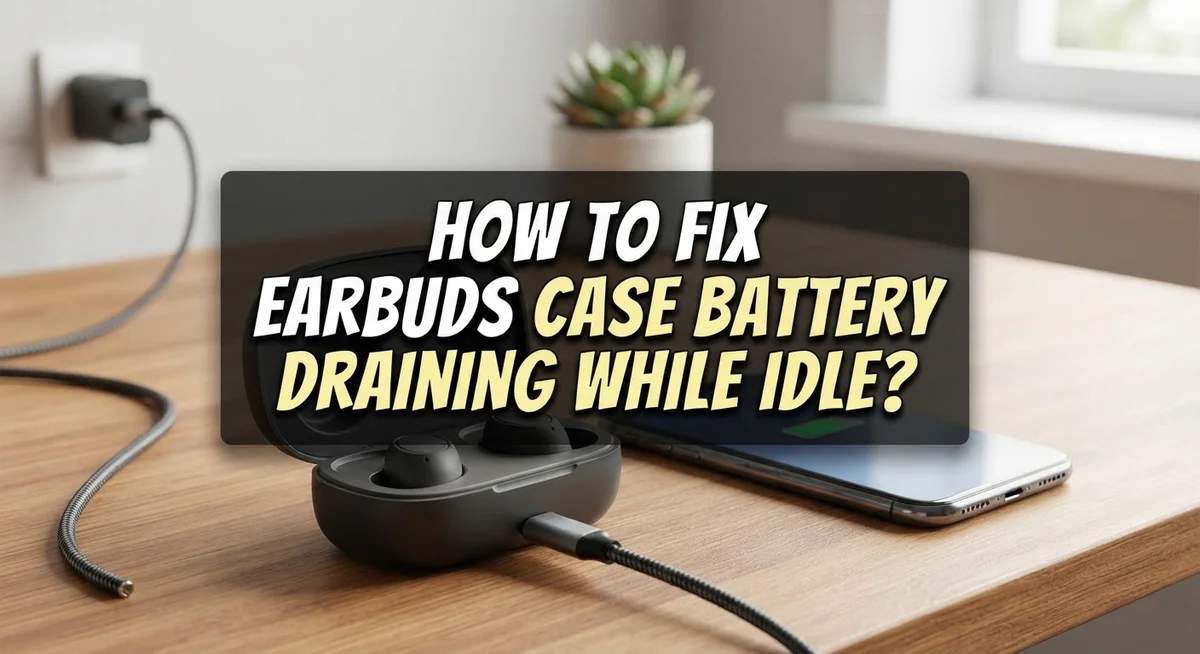
How To Fix Earbuds Case Battery Draining While Idle?
You plug in your earbuds case to charge overnight. But by morning, the battery is already lower than expected. Sound familiar?
This is one of the most common frustrations earbud users face. The case battery drains even when nothing seems to be happening. It feels like the battery just disappears on its own.
The good news is that this problem is almost always fixable. Most cases drain fast because of dirty charging contacts, a power management imbalance, or earbuds left outside the case too long.
In this guide, you will learn exactly why your earbud case battery drains while idle. You will also get clear, step-by-step fixes you can try right now at home.
No complicated tools are needed. These are simple solutions anyone can follow. Let’s get your case battery lasting the way it should.
In a Nutshell
Idle drain is normal but excessive drain points to a fixable issue with power management or dirty charging contacts.
Resetting your earbuds is the first and most effective step. Press and hold the case button for 15 to 20 seconds until the lights flash.
Clean the charging contacts on both the earbuds and the case. Dirty contacts stop the case from charging the earbuds properly.
Uneven battery drain between the left and right earbud is usually a power management imbalance. A reset almost always fixes this.
Always store your earbuds inside the case when not in use. Leaving them out causes unnecessary battery drain even when you are not wearing them.
Re-pair your earbuds with your phone after a reset. This completes the fix and restores balanced charging behavior.
Why Is Your Earbuds Case Battery Draining While Idle?
Your earbud case battery drains faster than expected for several specific reasons. Understanding these causes helps you fix the problem quickly.
Bluetooth connection stays active even when your earbuds sit idle. Your earbuds maintain a wireless link to your phone or last paired device. This constant connection consumes power slowly over time. The case itself also uses battery to monitor and manage charging cycles.
Dirty charging contacts prevent proper power transfer between your case and earbuds. Dust, lint, or earwax buildup blocks the metal pins from making full contact. When contacts don’t connect properly, your earbuds drain faster because the case cannot charge them efficiently. This is one of the most common causes of excessive drain.
Power management imbalance affects how battery distributes between your two earbuds. One earbud may drain faster than the other due to uneven power regulation. This imbalance forces the case to work harder to recharge both sides equally.
Leaving earbuds outside the case during idle periods causes unnecessary battery loss. Your earbuds continue searching for a Bluetooth connection even when you’re not using them. The case cannot protect them from this drain when they’re separated.
Firmware issues or software glitches sometimes cause abnormal power consumption. A minor bug in your earbud’s operating system can trigger excessive battery drain. Resetting your earbuds clears these glitches and restores normal power management.
Battery age and wear also play a role. Over time, rechargeable batteries lose their ability to hold a charge. Older batteries drain faster naturally, even during idle periods.
Most of these issues are fixable with simple maintenance and troubleshooting steps.
How to Tell If Your Case Has an Abnormal Battery Drain Problem
Your earbud case battery drains faster than normal when something goes wrong with power management or charging connections. The key is learning how to spot the difference between normal drain and a real problem.
Normal drain happens slowly. A fully charged case loses about 5 to 10 percent of its battery per week when sitting idle. This is expected because Bluetooth stays active in the background. You notice this drain over many days, not overnight.
Abnormal drain happens quickly. Your case loses 20 to 50 percent of its battery in just one or two days without use. This signals a genuine issue that needs fixing.
Check your case battery level regularly. Open your phone’s Bluetooth settings and look at the case battery percentage. Write down the number. Wait 24 hours without using your earbuds. Check the percentage again. If it dropped more than 15 percent, you likely have abnormal drain.
Watch for uneven earbud drain too. One earbud might die much faster than the other. This happens when power management becomes imbalanced between the two earbuds. The faster draining bud shows a real problem with how the case distributes power.
Notice if your case struggles to charge your earbuds fully. Your earbuds might show 80 percent charge even after hours in the case. This points to dirty charging contacts blocking power transfer.
Pay attention to heat as well. Your case should feel cool or slightly warm. Excessive heat during charging means something is wrong with the battery or charging system.
These signs tell you it’s time to reset your earbuds and clean the charging contacts.
How to Reset Your Earbuds to Fix Battery Drain
A reset forces your earbuds to restart their power management system from scratch. This simple action often stops battery drain completely because it clears software glitches that cause uneven power use.
Here’s how to reset your earbuds. Press and hold the button on your case for 15 to 20 seconds. Watch for lights to flash or change color. This signals the reset is working. Close the case and wait for 2 minutes. This gives your earbuds time to fully restart.
After the reset, you must re-pair your earbuds with your phone. Open your phone’s Bluetooth settings and forget the earbuds. Then search for them again and select them to pair. This fresh connection helps your earbuds communicate better with your device and prevents power drain from bad pairing signals.
Some earbud models work differently. You might need to hold buttons on both earbuds instead of just the case button. Check your manual if the case button doesn’t work. The principle stays the same: hold until lights flash, then wait.
A reset also balances battery drain between your left and right earbud. If one earbud drains much faster than the other, the reset fixes this power management imbalance. Your earbuds will now use battery more evenly.
Perform a reset every few months as part of regular maintenance. This keeps your earbuds running smoothly and prevents drain problems before they start. Most people find that a reset solves their battery drain issue within the first try. If drain continues after resetting and re-pairing, move on to checking your charging contacts or updating your firmware.
How to Clean Charging Contacts to Restore Proper Power Flow
Dirty charging contacts are one of the most common reasons your case battery drains while idle. When dust, lint, or debris builds up on these tiny metal points, they cannot transfer power efficiently between your case and earbuds. This forces your case to work harder and drain faster.
Start by locating the charging contacts. On your earbuds, these are small metal dots usually found on the bottom or sides. Your case has matching contact points inside where the earbuds sit. Look closely at both surfaces to spot any visible dirt or discoloration.
Use a dry cotton swab or soft cloth to gently wipe each contact point. Move slowly and apply light pressure. Do not use water, alcohol, or cleaning liquids unless your manual specifically allows it. Moisture can damage the electronics inside.
For stubborn buildup, try a slightly dampened cotton swab with distilled water only. Let everything air dry completely before putting your earbuds back in the case. Wait at least 30 minutes to be safe.
Clean your contacts every two to four weeks as part of regular maintenance. This prevents buildup from getting worse over time. You can also clean your case charging port if it has one by using a dry swab to remove debris carefully.
After cleaning, place your earbuds in the case and let them charge for a full cycle. Monitor your battery drain over the next few days. If the problem persists after cleaning and resetting, the issue may be deeper. However, most users see immediate improvement once they restore proper contact between the charging surfaces.
How to Balance Uneven Battery Drain Between Earbuds
When one earbud drains faster than the other, your power management system is out of balance. This happens because each earbud manages its own battery separately, and sometimes one side uses more power than it should.
The first step is to rotate your earbuds strategically. When the faster draining bud reaches about 50 percent battery, place it in the case immediately. Then pair your other earbud to your phone and continue using it. This method gives the tired bud time to recharge while you use the fresher one.
Placement order matters too. Always place your master earbud in the case first, then wait a few seconds before removing the other one. This sequence helps your case establish proper power distribution between both buds. The master earbud communicates with the case, so it needs to charge first.
A full reset is your most powerful tool for balancing drain. Press and hold the case button or both earbuds for 15 to 20 seconds until the lights flash. Close the case for 2 minutes, then re-pair everything with your phone. This forces your earbuds to restart their power management from scratch and typically solves uneven drain completely.
Check your charging contacts during this process. Dirty metal dots on your earbuds or case prevent proper power flow, which makes one side charge slower than the other. Use a dry cotton swab to gently wipe all contact points.
Combine these methods for best results. Rotate your buds, reset regularly, keep contacts clean, and always place the master earbud in first. Most uneven drain issues disappear within one full charge cycle after following these steps.
Best Idle Habits to Prevent Case Battery Drain
Your daily habits have a huge impact on how fast your case battery disappears when sitting unused. Small changes in how you store and maintain your earbuds make a real difference.
Store your case in a cool, dry place. Heat speeds up battery drain significantly. Avoid leaving your case in direct sunlight, hot cars, or near heating vents. Room temperature storage keeps your battery healthier for longer periods of inactivity.
Turn off Bluetooth on your phone when you’re not using your earbuds. Your case and earbuds continue searching for your device even when idle. This constant searching drains power slowly but steadily. Disable Bluetooth before putting your earbuds away for extended time.
Keep your case closed when not in use. An open case allows your earbuds to stay powered on and searching for connection. A closed case protects them and reduces unnecessary power consumption. Make closing the case your automatic habit after each use.
Check your case battery level weekly. Monitoring prevents complete discharge, which damages battery health over time. A completely dead battery is harder to revive and drains faster afterward.
Place earbuds in the case correctly every time. Improper placement prevents full contact with charging pins. Your earbuds won’t charge properly, and the case works harder trying to power them. Ensure both earbuds sit firmly in their designated slots.
Avoid storing your case with earbuds inside for weeks without charging. Even in storage, batteries slowly lose power. Charge your case to 50 percent before long storage periods. This protects battery chemistry and extends overall lifespan.
Common Mistakes That Make Earbud Case Battery Drain Worse
Many people accidentally make their earbud case battery drain worse without realizing it. Understanding these mistakes helps you stop the problem before it gets bigger.
Skipping the reset process is the first major mistake. Your earbuds have a power management system that can fall out of balance. When you skip a reset, this imbalance stays active and drains your case battery faster. A simple 15 to 20 second button hold fixes this, yet most people never try it.
Leaving your earbuds outside the case during idle time is another common error. Your earbuds stay powered on and search for your phone even when you’re not using them. This constant searching drains their battery quickly. Your case then works overtime trying to recharge them. Always place earbuds in the case when you’re done using them.
Neglecting charging contact cleaning makes drain problems much worse. Dirty contacts prevent proper power transfer between your earbuds and case. This forces your case to work harder and drain faster. Clean contacts every two to four weeks with a dry cotton swab.
Ignoring uneven battery drain between earbuds also creates issues. When one bud drains faster, it signals a power management problem. This imbalance spreads to your entire system. Rotating your earbuds and doing a full reset solves this quickly.
Finally, many people forget to close their case properly. An open case keeps your earbuds powered on and searching for connection. They stay active instead of entering sleep mode. This constant activity drains both your earbuds and case battery significantly.
Avoiding these mistakes stops unnecessary drain and keeps your case battery healthy longer.
When to Seek Further Help or a Replacement
Sometimes your earbud case battery drain persists even after you’ve tried all the basic fixes. When that happens, it’s time to consider whether you need professional help or a replacement.
Signs that professional help is needed include a case that won’t hold any charge at all, even after a full reset and contact cleaning. If your case drains from 100% to 0% in just a few hours while sitting idle, the internal battery may be failing. Another red flag is when your earbuds won’t charge inside the case no matter what you do.
If your earbuds are still under warranty, contact the manufacturer’s support team. They can run diagnostics and determine if the battery is genuinely defective. Most companies offer free replacements for cases that fail within the warranty period. Keep your purchase receipt and proof of purchase handy when you reach out.
Replacement might be your best option if your case is several years old. Lithium batteries naturally degrade over time, and older cases simply lose their ability to hold charge effectively. A new case will restore your earbuds to full functionality.
Before you decide on a replacement, make sure you’ve actually completed all troubleshooting steps. Sometimes people think they need a new case when a simple reset would have solved the problem. Give yourself at least one full week of proper usage and storage habits before concluding the case is broken.
If you’re unsure whether your drain is normal or abnormal, contact support. They can tell you what typical battery life should be for your specific model and guide you toward the right solution.
Final Thoughts
Fixing earbud case battery drain while idle is very achievable with the right approach. Most drain issues come from a few simple root causes that are easy to address once you know what to look for.
Start with the basics. Clean your charging contacts regularly and always make sure your earbuds sit correctly inside the case. These two steps alone solve a large number of drain problems.
Resetting your earbuds is one of the most effective fixes available. Press and hold the case button or both earbuds for 15 to 20 seconds until the lights flash. Close the case for two minutes, then re-pair with your phone.
If one earbud drains faster than the other, use the rotation method. When the faster-draining bud hits around 50%, place it in the case and connect the other one to your device. This keeps power levels balanced over time.
Always keep your case closed when your earbuds are idle. Open cases allow earbuds to stay active and search for connections, which pulls power from the case continuously.
Small habits make a big difference over the long run. Turning off Bluetooth when you are not listening, storing your case away from heat, and checking battery levels weekly all protect your case battery health.
The goal is consistent, preventive care rather than reactive fixes. Once you build these habits, idle drain becomes far less of a problem.
Every fix covered in this guide is practical and free to do. You do not need special tools or technical skills. Patience and consistency are all it takes to keep your earbud case battery performing well.
Frequently Asked Questions
Why does my earbud case drain battery while idle?
Your case uses power even when sitting unused. The earbuds inside stay in a low power state, searching for your device and maintaining connection readiness. This is completely normal behavior.
Additionally, the case’s internal circuitry requires a small amount of energy to monitor charging status and manage power distribution. Over time, this adds up.
Is uneven battery drain between earbuds normal?
No, it shouldn’t happen. When one earbud drains much faster than the other, a power management imbalance exists inside your case. This usually means the charging contacts aren’t making proper contact with both earbuds equally.
A reset fixes this issue in most cases. Press and hold your case button or both earbuds for 15 to 20 seconds until the lights flash. Close the case for 2 minutes, then re pair with your phone.
How do I stop my case from draining so fast?
Start by cleaning the charging contacts on both your earbuds and case. Use a dry, soft cloth to wipe away dust and debris. Poor contact prevents proper charging and causes faster drain.
Next, reset your earbuds using the method above. Always keep your case closed when earbuds are idle. An open case lets earbuds stay active and search for connections, draining power rapidly.
What’s the rotation method for uneven drain?
When your faster draining earbud reaches about 50% battery, place it in the case and pair your other earbud to your device. This gives the first one time to charge fully while you use the second one.
Rotate them back once the second earbud reaches 50%. This balanced approach keeps both earbuds healthy and prevents one from wearing out faster.

Hi, I’m Amy! I’m passionate about tech and love breaking down complex product specs into simple, actionable advice. I review gadgets, compare tools, and write buying guides to help you spend smarter. Got a question? Drop me a message — I’d love to hear from you!