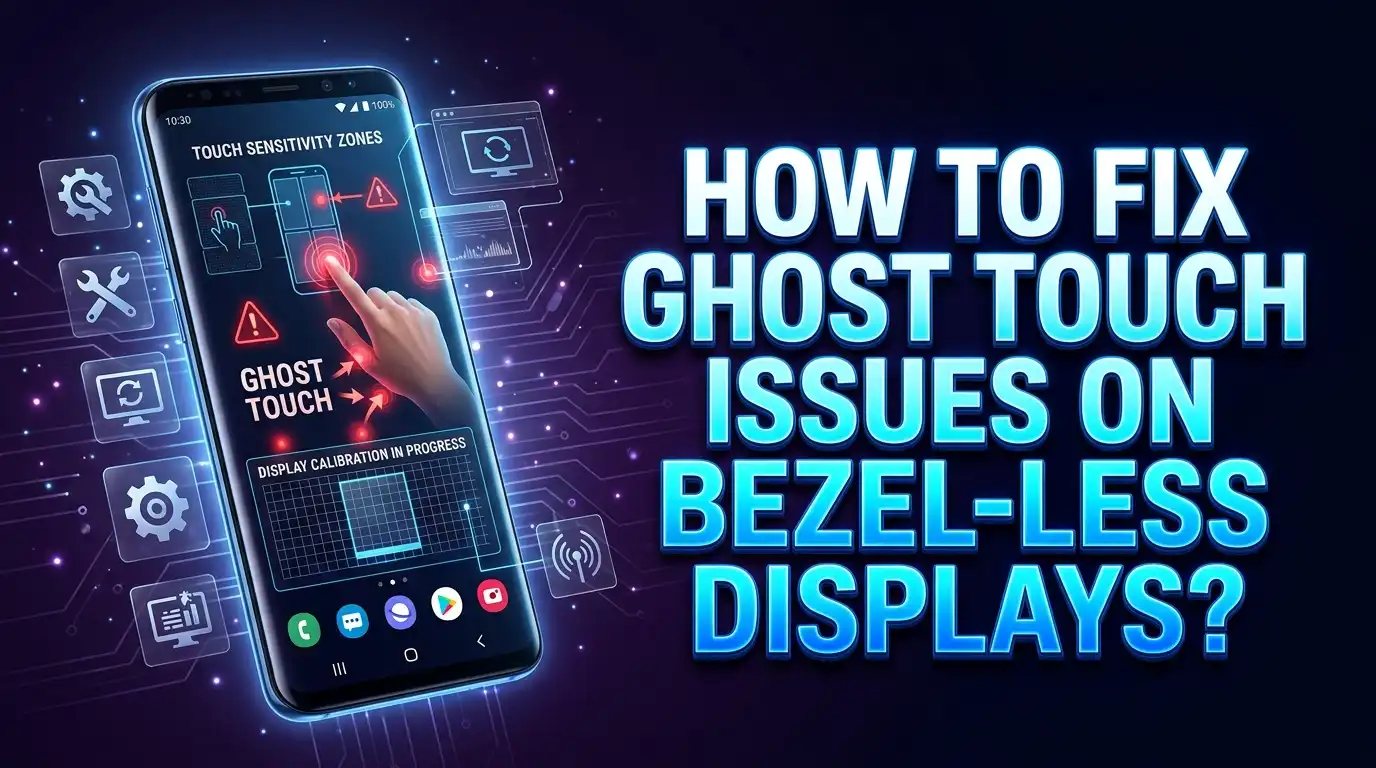
How To Fix Ghost Touch Issues On Bezel-Less Displays?
Ghost touch happens when your phone’s touchscreen registers input that you did not make. The screen taps itself, swipes on its own, and opens apps without your permission. The problem is especially common on phones with minimal or curved bezels because there is very little frame to prevent accidental contact with the display. Your palm, your fingers, even moisture on the screen can trick the phone into thinking it received a command.
The good news is that most ghost touch problems do not require expensive repairs. Research shows that roughly 60 to 70 percent of ghost touch cases come from simple issues like dirty screens, bad screen protectors, or faulty chargers. Only about 5 to 10 percent of cases involve actual hardware failure.
That means the fix is often fast, free, and something you can do right now at home. This guide walks you through every proven solution from the simplest to the most advanced so you can stop those phantom taps for good.
Key Takeaways
- Ghost touch on bezel-less displays is usually caused by environmental factors like screen grime, moisture, static electricity, or a faulty charger rather than permanent hardware damage. A thorough screen cleaning alone solves the problem in a large number of cases.
- Your charger could be the main culprit. About 20 to 25 percent of ghost touch complaints are linked to cheap or incompatible charging cables and adapters. Switching to the original or a certified charger often stops phantom touches immediately.
- Screen protectors and phone cases deserve a close look. A poorly fitted screen protector with air bubbles or trapped dust particles can trigger false touches. Cases that are too tight can press against the edges of a bezel-less display and create the same problem.
- Software settings on your phone offer built-in solutions. Features like accidental touch protection, edge touch sensitivity adjustments, and safe mode testing can help you identify and eliminate ghost touch without any physical repairs.
- A factory reset is a powerful last resort for software related ghost touch. If the problem started after a system update or app installation, resetting the device to factory settings often clears corrupted files causing the issue. Always back up your data first.
- Persistent ghost touch that survives all software fixes likely means hardware damage. A cracked digitizer, water damage, or a swollen battery will need professional repair or screen replacement to resolve permanently.
What Exactly Is Ghost Touch and Why Does It Happen
Ghost touch describes a situation where your smartphone screen registers taps, swipes, or long presses without any physical contact from your finger. Your phone appears to have a mind of its own. It opens apps, types letters, scrolls through menus, and activates features as if an invisible finger is controlling it.
The technology behind your touchscreen explains why this happens. Modern smartphones use capacitive touchscreens that detect the tiny electrical charge your finger carries. A thin digitizer layer sits just beneath the glass and measures changes in an electrical field whenever your skin gets close. This system is extremely sensitive by design because manufacturers want the screen to feel smooth and responsive to every tap.
That same sensitivity creates a weakness. Anything that disrupts the electrical field on the screen surface can fool the digitizer into registering a false touch. Moisture, dirt, static electricity, and even temperature changes can create phantom signals. Bezel-less displays face an extra challenge because the active touch area extends almost to the very edge of the phone. There is almost no dead zone where accidental contact is ignored.
Curved and edge displays make this problem worse. When the screen wraps around the sides of the phone, your palm naturally rests on the active display while you hold the device. The phone cannot always tell the difference between an intentional tap and your palm pressing against the curved glass. Manufacturers have added palm rejection algorithms to help, but these systems do not catch every false touch.
How Dirty Screens and Environmental Factors Cause Phantom Touches
A dirty screen is the single most common cause of ghost touch. Your display might look clean at first glance, but a thin layer of oil, dust, and skin residue builds up on the glass throughout the day. This invisible film creates small conductive pathways between different points on the touchscreen. The digitizer reads these pathways as finger contact and registers phantom taps.
Cleaning your screen with a microfiber cloth and 70 percent isopropyl alcohol is the fastest way to test this. Apply the alcohol to the cloth first, not directly to the screen. Wipe the entire surface using gentle circular motions. Avoid household cleaners like window spray because they leave their own residue and can damage the screen’s oleophobic coating.
Weather and humidity play a significant role too. High humidity puts a thin layer of moisture on your screen that acts as an extra conductor. Sweat from your fingers during hot weather or after exercise creates similar interference. Cold temperatures can also cause problems because moving your phone from a freezing environment to a warm room creates condensation on and inside the device.
Let your phone adjust to room temperature for a few minutes before using it after major temperature changes. If you live in a humid climate, keep a microfiber cloth handy and wipe your screen regularly throughout the day.
Why Your Charger Might Be the Real Problem
A faulty or low quality charger is responsible for roughly 20 to 25 percent of all ghost touch complaints. This surprises many users because the charger seems completely unrelated to the touchscreen. The connection is electrical interference.
Every charger converts wall power into the lower voltage your phone needs. A well made charger does this cleanly with minimal electrical noise. A cheap or damaged charger sends unstable current with spikes and fluctuations that travel through the charging port and into the phone’s circuits. This electrical noise reaches the touchscreen digitizer and disrupts its ability to accurately detect real finger contact.
You can test this easily. If ghost touch only happens while your phone is charging, unplug the cable and see if the problem stops. Try a different charger and a different cable. If the phantom touches disappear with the original or a certified charger, you have found your answer.
The power source itself can also matter. Some wall outlets have poor grounding, and extension cords or power strips can add their own electrical noise. Try a different outlet in your home if switching chargers alone does not solve the issue. Charging from a laptop USB port is another way to test because computers provide very clean, regulated power.
How Screen Protectors Create Ghost Touch on Edge Displays
Screen protectors sit between your finger and the digitizer. A good quality protector passes your touch signal through without interference. A cheap, thick, or poorly installed protector changes how the digitizer reads your input and can generate false touches.
Air bubbles are a major cause of ghost touch from screen protectors. When the protector does not sit flat against the display, small pockets of air get trapped between the two surfaces. These air gaps create uneven pressure points that the digitizer can misread as taps. Dust particles trapped under the protector during installation cause the same problem.
The edges of the screen protector matter a great deal on bezel-less phones. If the protector does not align perfectly with the curved edges of the display, the lifted corners or sides can interfere with touch detection along the border. This is why many users report ghost touch specifically along the edges of their bezel-less screens.
Remove your screen protector completely and test the bare screen for a day or two. If the ghost touch stops, you know the protector was the issue. When you apply a new one, clean the screen thoroughly in a dust free environment and work out air bubbles carefully from the center outward. Choose a protector designed specifically for your phone model to ensure proper edge alignment.
How Phone Cases Trigger Edge Touches on Bezel-Less Phones
Phone cases are a frequently overlooked cause of ghost touch on bezel-less displays. A case that fits too tightly can press against the edges of the screen where the bezel would normally be. The pressure from the case lip mimics finger contact and triggers phantom touches along the sides.
This problem is especially common with cases designed for a different phone model or generic universal cases. Even a case made for the correct model can cause issues if it was manufactured with slightly off dimensions. The tighter the case grips the phone, the more likely it is to push against the active display area near the edges.
Flexible silicone cases tend to create fewer problems than rigid hard shell cases because they distribute pressure more evenly. However, any case that accumulates moisture or debris between itself and the phone can lead to ghost touches. Sweat, dust, and pocket lint trapped between the case and screen create conductive pathways similar to what a dirty screen does.
Remove your case entirely and test the phone without it. If the ghost touch stops or reduces significantly, your case is contributing to the problem. Look for a case that has a raised lip designed for bezel-less screens and provides clearance around the display edges rather than pressing against them.
Adjusting Touch Sensitivity Settings on Your Phone
Most modern smartphones include software settings that directly control how the screen responds to touch input. These settings can make the difference between a screen that overreacts to every slight contact and one that only responds to intentional taps.
Samsung Galaxy devices offer a feature called Edge Touch available through the Good Lock app from the Galaxy Store. This tool lets you create custom dead zones along the curved edges of your display. You draw the areas where you want the phone to ignore touch input, and the software blocks any accidental contact in those regions. This is one of the most effective solutions for ghost touch caused by palm contact on curved screens.
Samsung also has a touch sensitivity toggle found in Settings, then Display. This feature increases sensitivity for use with screen protectors, but turning it off can reduce ghost touch if your screen is overreacting to light contact. The accidental touch protection feature found in the same Display settings menu prevents the screen from activating while the phone is in your pocket or bag.
iPhones offer Touch Accommodations in Settings, then Accessibility, then Touch. You can set a hold duration that requires your finger to stay on the screen for a minimum time before a tap registers. This filters out the brief phantom signals that cause ghost touch. You can also enable the ignore repeat setting to prevent the same spot from registering multiple rapid taps.
Using Safe Mode to Identify Problem Apps
Safe mode is a diagnostic tool built into every Android phone that temporarily disables all third party apps. It runs only the core operating system and pre-installed apps. This makes it an excellent way to determine whether a specific app is causing your ghost touch problem.
To enter safe mode on most Android phones, press and hold the power button until the power menu appears. Then press and hold the “Power Off” option until you see the safe mode prompt. Tap OK to restart in safe mode. You will see a “Safe Mode” label in the corner of your screen.
Use your phone normally in safe mode for several hours. If the ghost touch completely stops, a third party app is almost certainly the cause. Apps that use screen overlays, floating widgets, accessibility services, or gaming boosters are the most common culprits. These apps interact directly with the touch layer and can create conflicts that produce phantom inputs.
Exit safe mode by restarting your phone normally. Then begin removing recently installed apps one at a time, testing between each removal. Start with any app you installed right before the ghost touch started. Overlay apps, custom launchers, and screen recording tools should be your first suspects. Once you find and remove the offending app, the ghost touch should stop permanently.
How Software Updates and Factory Resets Can Help
System software controls every aspect of how your phone processes touch input. A bug in a recent update can cause the touchscreen driver to malfunction and produce ghost touch symptoms. Checking for and installing the latest available update should be one of your first steps because manufacturers frequently release patches that fix touch related bugs.
On Android, go to Settings, then System, then Software Update to check for new versions. On iPhone, go to Settings, then General, then Software Update. Install any pending updates and restart your phone. Many users report that their ghost touch problem disappeared after a specific patch that addressed known touchscreen issues.
If updates do not help and software is still your suspected cause, a factory reset is the most thorough software fix available. This erases everything on your phone and returns it to the same state it was in when it left the factory. Corrupted system files, broken app data, and conflicting settings all get wiped clean in the process.
Before you reset, back up all your important data including photos, contacts, messages, and documents to cloud storage or a computer. On Android, go to Settings, then System, then Reset Options, then Erase All Data. On iPhone, go to Settings, then General, then Transfer or Reset iPhone. After the reset completes, set up your phone as new rather than restoring from a backup to ensure the corrupted data does not return.
Checking for Battery Swelling and Internal Hardware Issues
A swollen battery is a serious but sometimes hidden cause of ghost touch. As a battery ages or gets damaged, it can expand with gas buildup inside its cells. This swelling pushes outward against the back of the display assembly and creates physical pressure on the digitizer layer from the inside. The pressure generates false touch signals that no software fix can resolve.
Warning signs of a swollen battery include a screen that appears slightly raised or bulging, a phone that wobbles when placed flat on a table, visible gaps forming between the screen and the frame, excessive heat during normal use, and rapidly declining battery life. If you notice any combination of these symptoms along with ghost touch, battery swelling is a likely cause.
Do not try to fix a swollen battery yourself. A damaged lithium battery is a fire and chemical hazard. Take your phone to a certified repair center immediately. Most repair shops can replace a swollen battery for a reasonable cost, and this replacement usually eliminates the ghost touch completely.
Drops and impacts can also damage the digitizer without cracking the visible glass. The digitizer is a delicate layer that can develop microscopic fractures or disconnections from a hard impact. If your ghost touch started after dropping your phone, even if the screen looks fine, internal damage is the most likely explanation.
When Ghost Touch Points to Digitizer Failure
The digitizer is the specific component responsible for detecting your finger position. It is a thin transparent layer embedded in your display assembly that uses a grid of capacitive sensors. When this layer fails, it sends incorrect position data or phantom touch signals to your phone’s processor.
Digitizer failure typically shows a distinct pattern. Ghost touches will occur in the same area of the screen repeatedly rather than appearing randomly across the entire display. You might notice that one corner or one edge consistently registers phantom taps while the rest of the screen works fine. Dead spots where the screen does not respond to real touches often accompany the false touches in other areas.
Several factors cause digitizer failure. Heat exposure over time breaks down the adhesive that bonds the digitizer to the display. This causes delamination where the touch layer separates from the screen beneath it. Water damage corrodes the tiny electrical traces in the digitizer grid and creates short circuits that generate false signals. Physical impact can crack the digitizer layer even when the outer glass remains intact.
If you have tried every software fix and environmental solution without success, and the ghost touches follow a consistent pattern in a specific screen area, digitizer failure is the most probable cause. This requires professional screen replacement. The digitizer cannot be repaired on its own in most modern phones because it is fused to the display glass.
Practical Daily Habits to Prevent Ghost Touch
Preventing ghost touch is easier than fixing it after the problem starts. A few simple daily habits will keep your bezel-less display working accurately and reduce the chance of phantom touches developing over time.
Clean your screen at least once a day with a microfiber cloth. You do not need alcohol every time. A dry microfiber cloth removes most oils and dust that accumulate during normal use. Do a more thorough cleaning with isopropyl alcohol once a week or whenever the screen looks smudged.
Keep your phone away from extreme temperatures and rapid temperature changes. Do not leave it on a car dashboard in direct sunlight or outside in freezing weather. When moving between very different temperatures, give your phone a few minutes to adjust before heavy use.
Use only certified chargers and cables from your phone’s manufacturer or from reputable brands. Replace any charging cable that shows signs of wear like fraying or a loose connector. A damaged cable can develop intermittent electrical issues that grow worse over time.
Replace your screen protector every six to twelve months or sooner if it shows scratches, lifting edges, or bubbles. An aging protector loses its smoothness and adhesion, and these changes can affect touch accuracy. When applying a new protector, take your time to ensure a clean, bubble free installation.
How to Test and Diagnose Ghost Touch Accurately
Before spending money on repairs, run a few simple tests to identify the exact cause of your ghost touch problem. Systematic testing prevents unnecessary expenses and points you directly to the right solution.
Start with the charger test. Use your phone while it is charging and note whether ghost touch occurs. Then unplug and use it on battery power. If the problem only appears during charging, your charger or cable is the cause. Test with at least two different chargers to confirm.
Next, perform the screen protector and case test. Remove both and use the bare phone without a case for at least a full day. If ghost touch stops, add the case back first and test for another day. Then add the screen protector. This process tells you exactly which accessory is creating the interference.
Run the safe mode test described earlier to rule out app related causes. If ghost touch stops in safe mode, an app is the problem. If it continues in safe mode, the issue is either environmental or hardware related.
Use your phone’s built in diagnostic tools if available. Samsung phones have a touch test in the Samsung Members app under diagnostics. You can also access a secret touch test screen by dialing specific service codes. These tools show you exactly where the screen registers touches and reveal phantom input patterns that are not visible during normal use.
Document the pattern of your ghost touch. Note the time of day, whether the phone is charging, the temperature and humidity, which apps are open, and where on the screen the phantom touches appear. This log will help a technician diagnose the issue quickly if you need professional repair.
When to Seek Professional Repair and What to Expect
Professional repair becomes necessary when you have exhausted every DIY solution and the ghost touch persists. Certain signs point clearly to a hardware problem that only a trained technician with proper tools can fix.
Seek professional help if ghost touch continues after a factory reset performed without restoring from backup. This eliminates software as a possible cause and confirms a hardware issue. Also seek help if the phantom touches always occur in the same screen area, if your phone was recently dropped or exposed to water, or if you notice any signs of battery swelling.
A qualified repair technician will first run a diagnostic to confirm the touch panel is malfunctioning. They will check the display connector, digitizer layer, and battery condition. Most ghost touch hardware repairs involve replacing the entire display assembly because the digitizer and glass are fused together in modern phones. This typically costs between $100 and $300 depending on your phone model.
Always back up your data before handing your phone over for repair. The repair process can sometimes result in data loss, especially if the technician needs to perform a factory reset as part of their testing. Ask the repair shop about warranty coverage on the replacement parts. Most reputable shops offer at least a 30 to 90 day warranty on screen replacements.
If the repair cost approaches or exceeds 50 percent of your phone’s current value, consider whether a replacement makes more financial sense. A phone that is already several years old may develop additional problems soon even after a screen replacement.
Frequently Asked Questions
Can ghost touch happen on any phone or only bezel-less models?
Ghost touch can happen on any smartphone with a capacitive touchscreen. However, it is significantly more common on bezel-less and curved display phones because the active touch area extends to the very edges. There is less frame to act as a buffer against accidental palm and finger contact. The wider the active display area, the more likely your phone is to register unintended touches during normal use.
Does ghost touch mean my phone has been hacked?
No. Ghost touch is almost never related to hacking or malware. It is caused by physical factors like screen contamination, faulty chargers, damaged digitizers, or software glitches. Less than one percent of ghost touch cases have any connection to security issues. If your phone is displaying ghost touch symptoms, start with the physical and software fixes in this guide rather than worrying about a security breach.
Why does ghost touch only happen while my phone is charging?
Ghost touch during charging is caused by electrical interference from your charger or cable. A low quality, damaged, or incompatible charger sends unstable power that disrupts the touchscreen’s sensors. The fix is straightforward. Switch to the original charger that came with your phone or purchase a certified replacement from a reputable brand. Also try a different wall outlet because poor grounding in some outlets adds electrical noise.
Will a screen protector fix or worsen ghost touch?
It depends on the quality and installation. A high quality, properly installed screen protector designed for your specific phone model should not cause ghost touch. However, a cheap, thick, or poorly applied protector with air bubbles and trapped dust can trigger phantom touches. If you are experiencing ghost touch, remove your current screen protector as a diagnostic step. If the problem stops, the protector was the issue.
How long do phone touchscreens typically last before ghost touch becomes a hardware issue?
Most smartphone touchscreens function reliably for two to three years of heavy daily use before the internal components begin to degrade naturally. Factors like frequent drops, water exposure, extreme temperatures, and constant use without screen protection can shorten this lifespan. If your phone is older than three years and has persistent ghost touch that does not respond to any software or environmental fix, the digitizer is likely wearing out and may need replacement.
Can I recalibrate my touchscreen to fix ghost touch?
Some Android phones include built in touch calibration tools in their settings or diagnostic menus. Samsung devices offer touch diagnostics through the Samsung Members app. However, calibration tools fix minor accuracy issues rather than true ghost touch. If phantom touches are caused by a dirty screen, bad charger, or damaged digitizer, recalibration alone will not solve the problem. It is still worth trying as one step in your troubleshooting process.

Hi, I’m Amy! I’m passionate about tech and love breaking down complex product specs into simple, actionable advice. I review gadgets, compare tools, and write buying guides to help you spend smarter. Got a question? Drop me a message — I’d love to hear from you!